This article is intended for clinicians that have been granted the ability to access SCR when agreed by individual patients.
Your surgery is taking steps to ensure you can access key patient data if your GP record system or the NHS network is unavailable.
Suitable clinicians can already access the Summary Care Record (SCR) of your non-regular patients in your GP system, no matter which system their "home" surgery uses; however, if there is a fault with your GP record system or NHS network you can access the SCR of your own patients to help support care provision during this downtime.
You will need:
- Self-register a non-smartcard authenticator
- Test your authenticator(s)
- Complete training on using National Care Record Service (NCRS) to access SCR
Self-register a non-smartcard authenticator
Note: If you are Sponsor or Registration Authority agent, you may not be able to complete this step.*
Select your preferred non-smartcard authenticator. You can complete the instructions for more than one if you choose; then return to these instructions. Where linked instructions refer to an "existing authenticator", this will be smartcard for most users:
Test your authenticator(s)
- Visit the NHS Spine Portal
- Click National Care Records Service
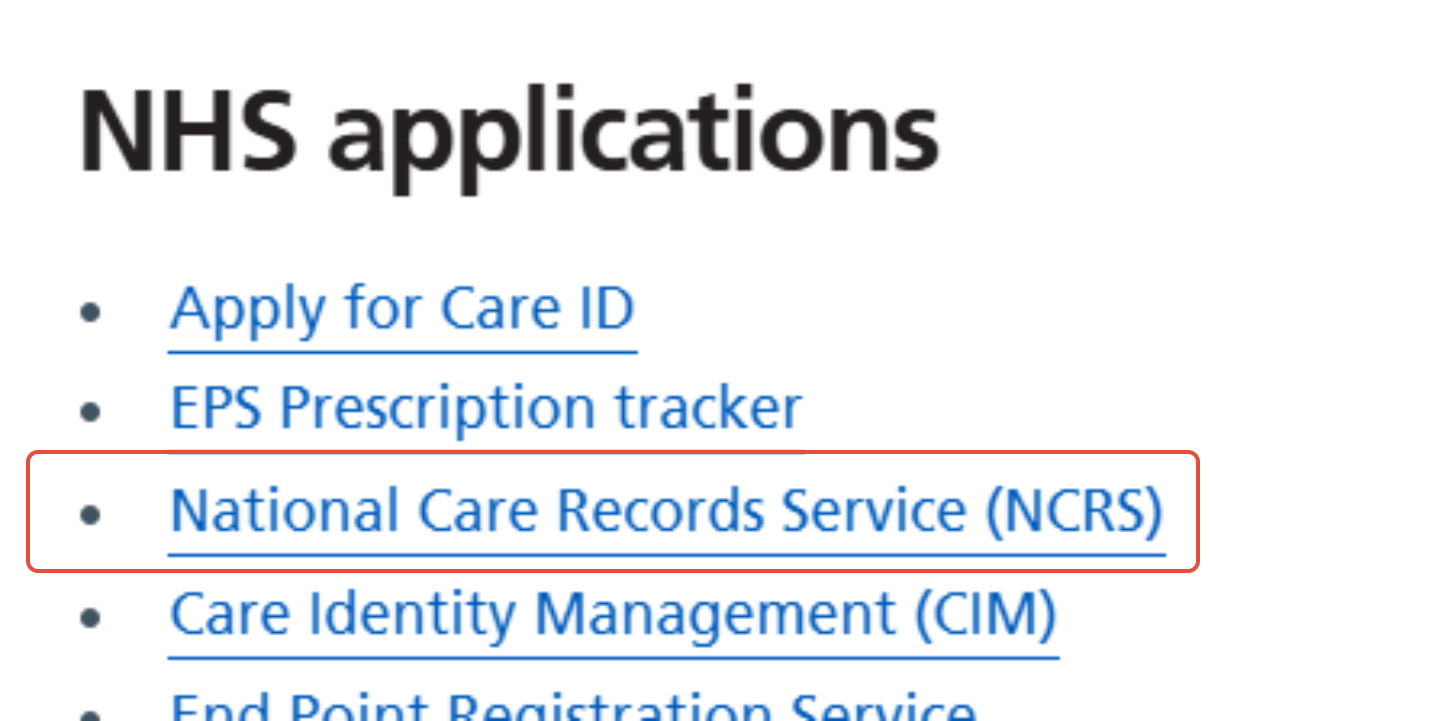
- Select non-smartcard authenticator you have registered (depending on th option you used above) and Continue
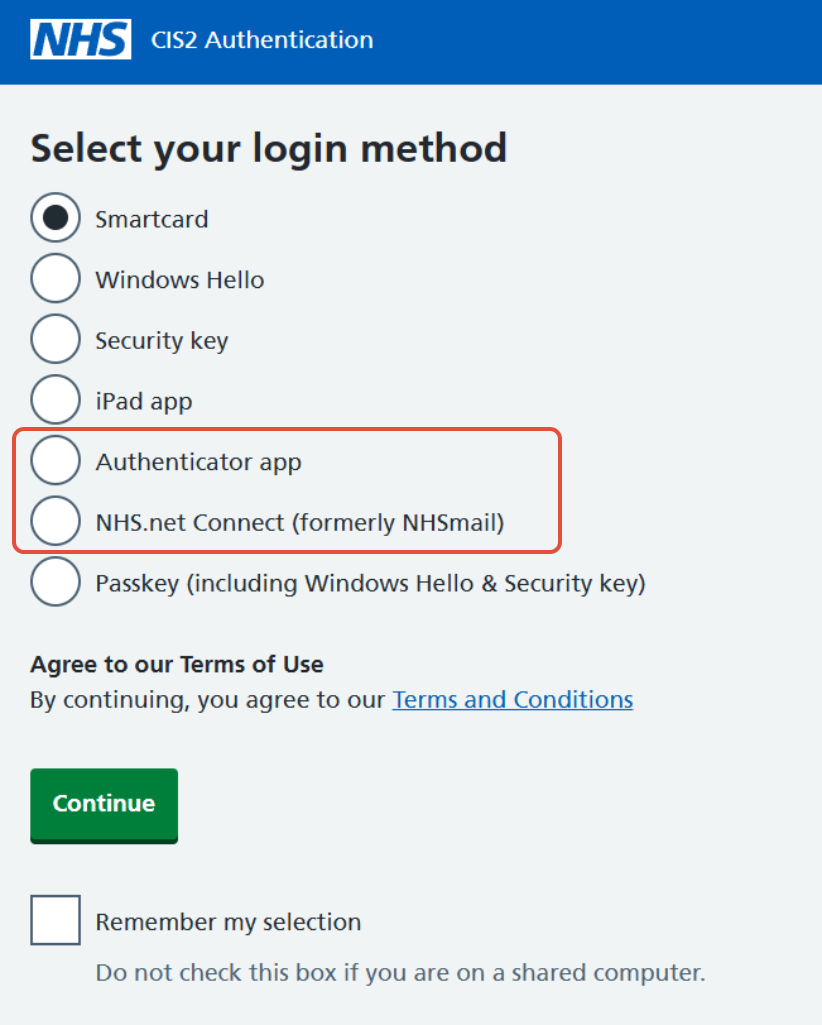
If you are experiencing difficulty with registration or testing your new authenticators, please disuss with your surgery digital lead(s)/champion(s).
Complete training on using NCRS to access SCR
https://learninghub.nhs.uk/Resource/36628/Item
Note: SCR access is audited.
*If you cannot locate the 'Add other authenticator' option on Care Identity Management, change to a non-Sponsor/RA position with the 'Change role' option next to your name. If you do not have another role or cannot locate the 'option on any of your roles; reach out to your Registration Authority ("smartcard team") to request support in registering an authenticator.
Was this article helpful?
That’s Great!
Thank you for your feedback
Sorry! We couldn't be helpful
Thank you for your feedback
Feedback sent
We appreciate your effort and will try to fix the article