Unsure which service SystmOne Gateway is? Here as some ways to help find it.
Once you have identified your Gateway machine - and assuming you do not routinely change which machine performs this role - we recommend clearly labelling it to indicate that it is the SystmOne Gateway. You should also note any additional functions your service has chosen to run on this machine that depend on a continuous SystmOne connection.
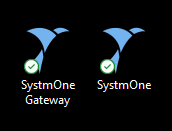
A note on desktop icons: Beware that the presense of a desktop icon stating 'SystmOne Gateway' does not necessarily mean the machine is actively being used as the current service Gateway.
Identification methods
Discuss with your Document Management team
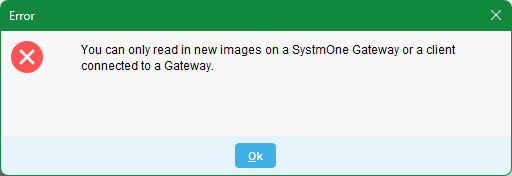
Staff are unable to scan/import unless the SystmOne Gateway is running and logged in. These staff are the most-likely to be familar with the prompt: "You can only read in new images on a SystmOne Gateway or client connected to a Gateway", at which point they must take action to launch and/or re-sign into the Gateway before they can continue to scan or import documents.
User Logins
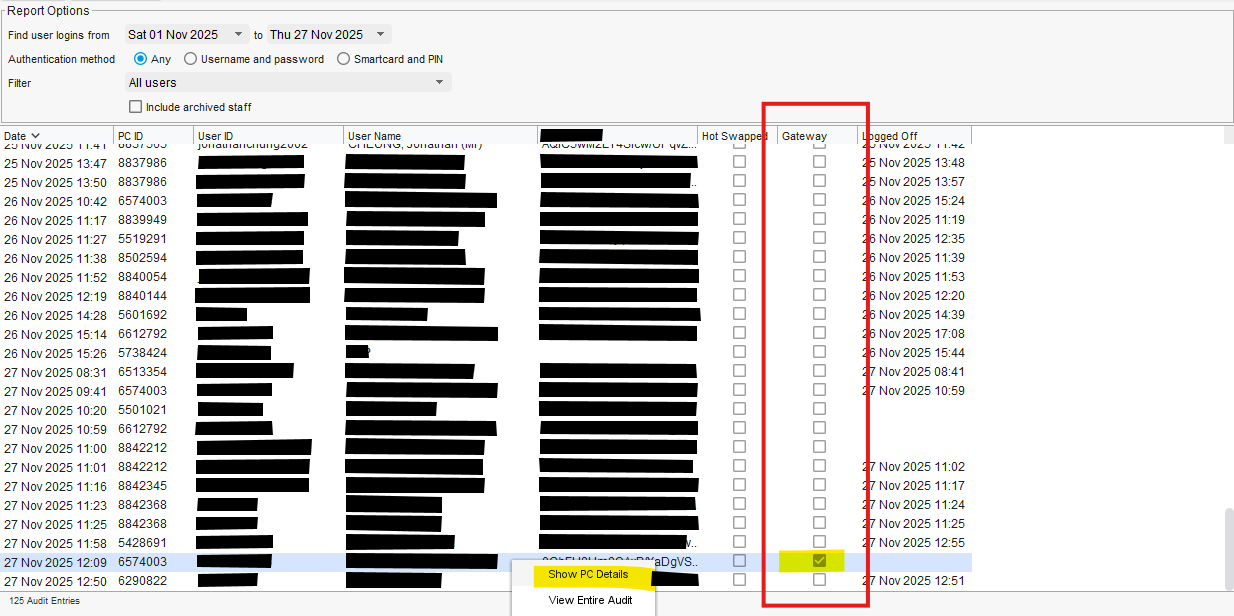
The User Logins audit includes a column marked Gateway. Find Gateway logins use the user (where do they sign in?) or SystmOne 'PC ID' to help determine which machine has been used as a Gateway. You can also right-click an entry and Show PC Details to see the WIndows 'PC Name' and 'IP Address' to compare to your service asset register.
Organisation Preferences
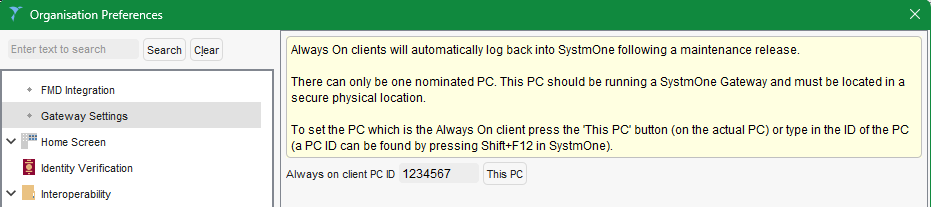
Have you set the Gateway to automatically sign back in after updates/patches? If so, use the SystmOne 'PC ID' to help locate this against your service asset register.
Manually check each machine
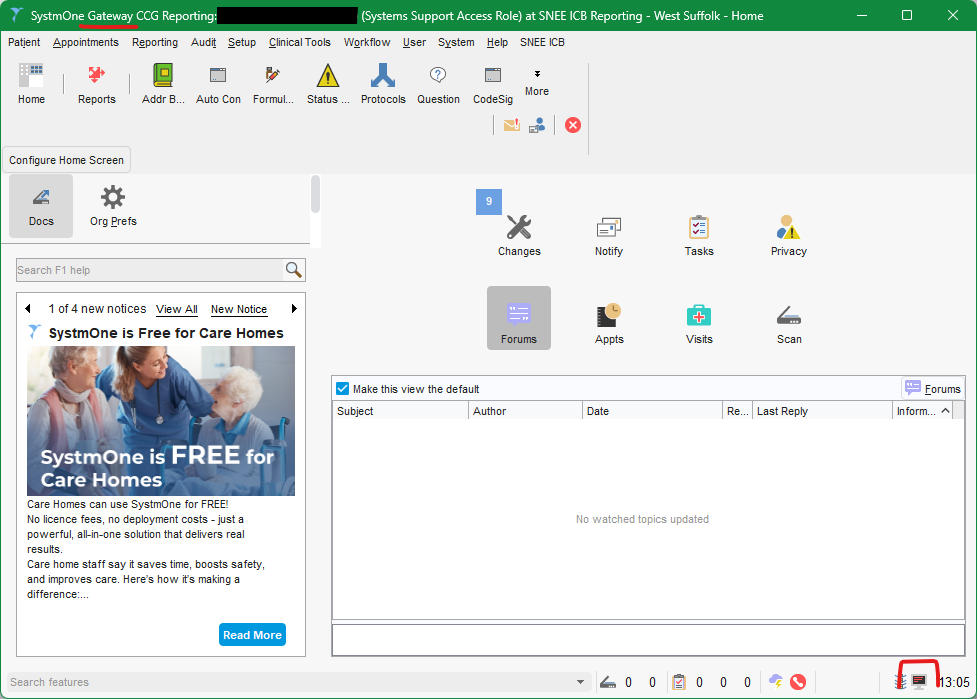
A signed in Gateway will state "SystmOne Gateway"at the top of the Window and at the bottom-right will have a computer icon with red screen (A green screen indicates a Gateway is active and visible on the network, no computer icon means there is not a Gateway visible on the network).
Was this article helpful?
That’s Great!
Thank you for your feedback
Sorry! We couldn't be helpful
Thank you for your feedback
Feedback sent
We appreciate your effort and will try to fix the article