If you are using a compatible SMS service you can check SMS delivery status. This is possible with both the EE SMTP API (sending SMS using NHS.net) or the EE HTTP API.
Note: Like letters and emails, confirmation of delivery is not confirmation it was delivered to the correct recipient or read - ensure correspondence has suitable follow-up processes where needed.
Setup (if using SMTP API)
As at March 2026, all Suffolk GP services use the EE SMTP API.
- Ensure you are managing emailed SMS receipts so they are moved out of the inbox to a dedicated folder
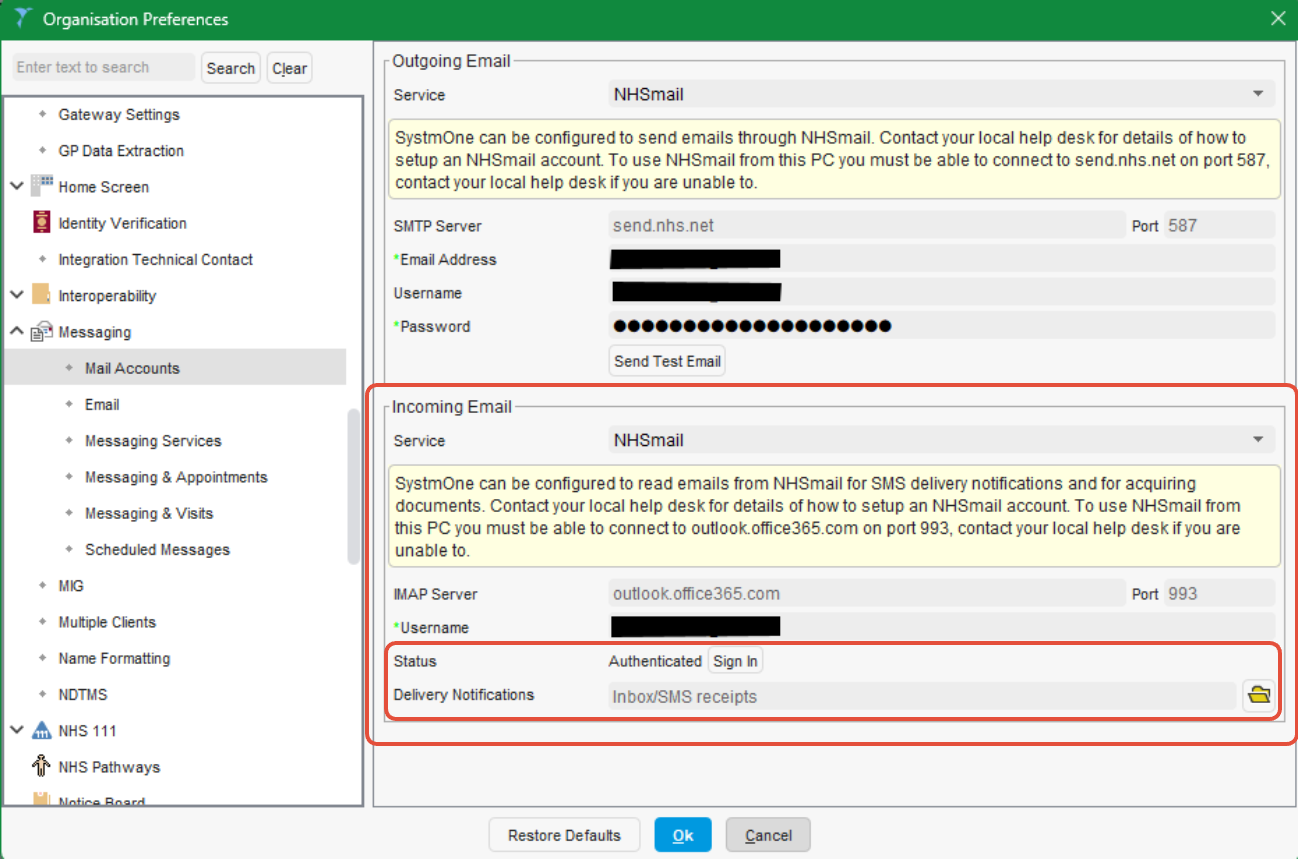
See: Application/SMS/DXS mailbox configuration - Within SystmOne Organisation Preferences:
- Ensure the mailbox is Authenticated for 'Incoming Email'. If your service "pulls" emails and attachments to SystmOne for processing, this will already be completed. See: SystmOne NHSmail Import
- Ensure you have selected the correct 'Delivery Notification' folder that SystmOne should refer to.
Check an individual message status
Access the SMS Messages node (available by default on the Administrative tree).
Status is shown in the final column; prior to checking this will indicate: SMS message is awaiting acknowledgement
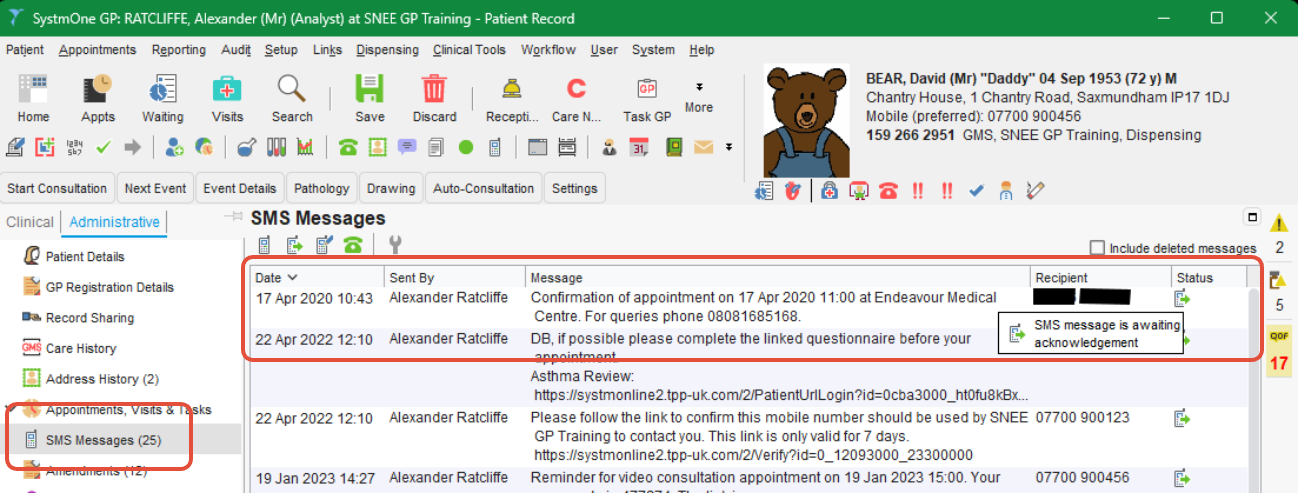
Each status has a corresponding icon. Other statuses include:
- SMS message received by the patient's handset
- SMS message was not received by the patient's handset
To have SystmOne review the mailbox for a delivery notification email, right-click and select Update Status
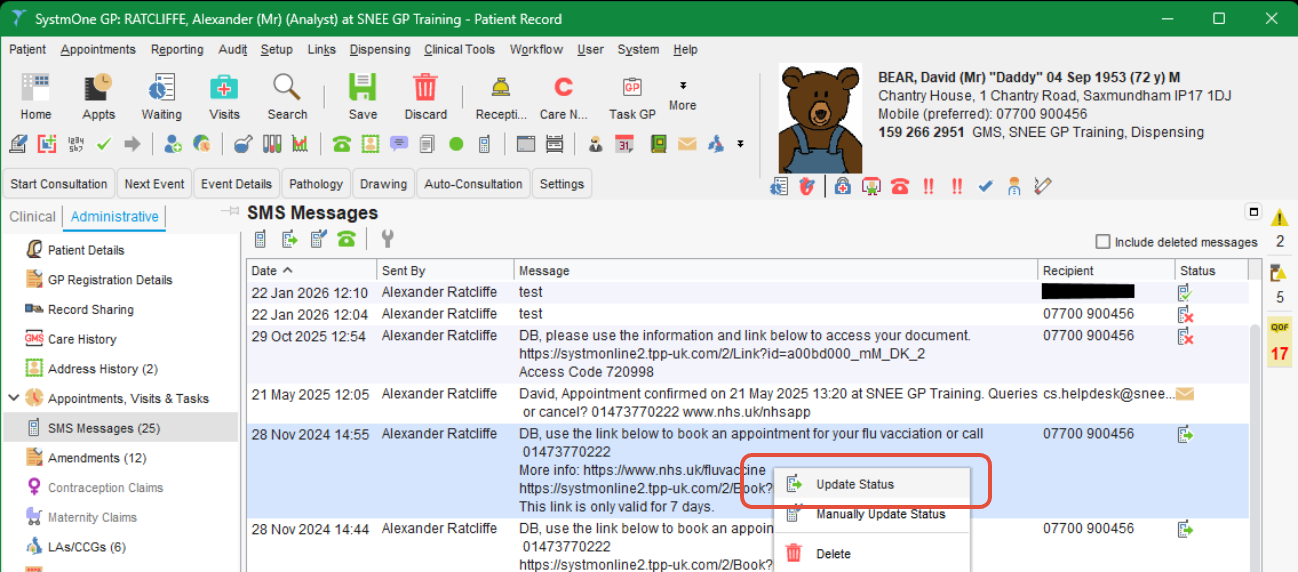
If devliery notification emails are found and processed, they will be moved to a 'Processed SMS' folder automatically and no longer be present in your delivery notifications folder.
Note: Message status cannot be viewed or updated from the Journal.
Check a group of messages
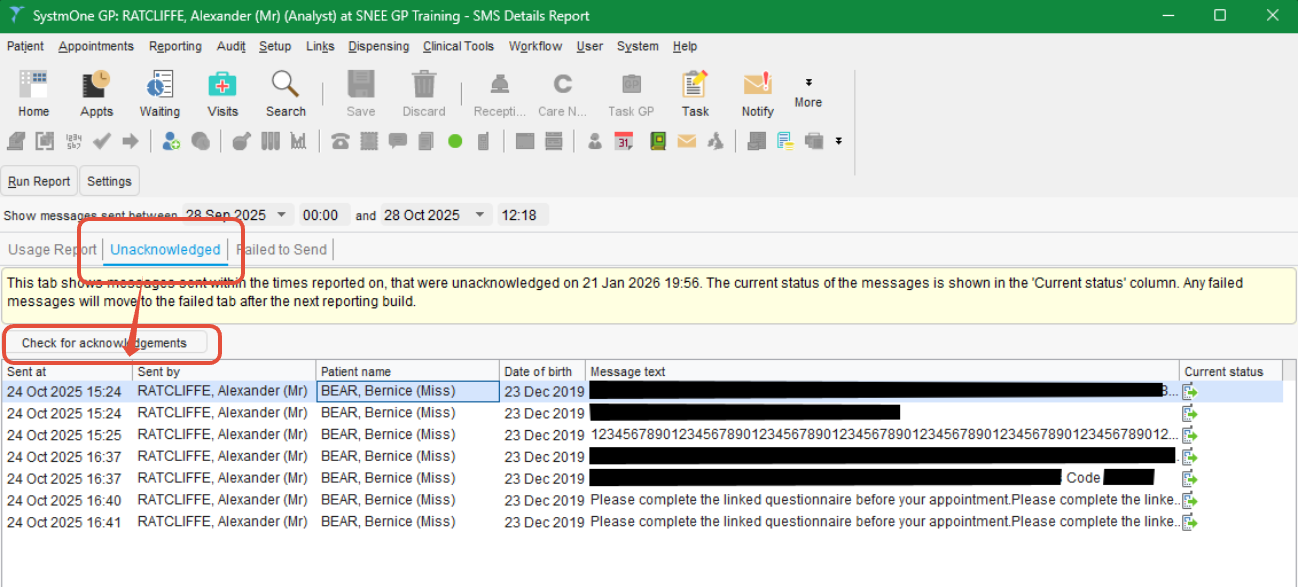
The SMS Details Report includes a list of Unacknowledged messages and the option to check these in bulk.
To use, select your date range (up to 30 days), run the report and Check for acknowledgements
Was this article helpful?
That’s Great!
Thank you for your feedback
Sorry! We couldn't be helpful
Thank you for your feedback
Feedback sent
We appreciate your effort and will try to fix the article